Devblog. Part 2 — Vibecoding: AI Agents Meet the Game Editor
What if you could describe a game in plain words and watch it come together in a running editor?
The AI agent sees your scene, controls the game, takes screenshots, and tests it — live, while the editor is running. You direct, it builds, you iterate.
EdenSpark now ships a set of connectors that bridge AI coding tools directly into the editor. We support Claude Code, Cursor, GitHub Copilot, and any other tool that speaks the MCP protocol. Every new project comes pre-configured — open your favorite AI tool and start building.
How It Works
Three pieces work together to make this possible:
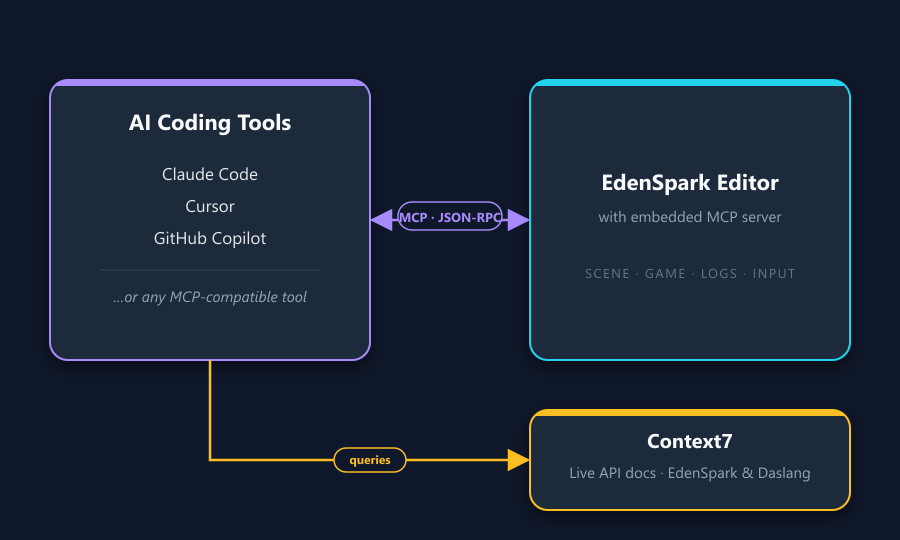
MCP Server runs inside the EdenSpark editor. It exposes the full editor and game to any connected AI tool over a local network protocol. The agent can read the scene tree, start and stop the game, simulate player input, capture screenshots, and read game logs — all through structured tool calls.
Context7 serves live documentation for EdenSpark and Daslang APIs. When an agent needs to look up how a component works or what arguments a function takes, it queries Context7 instead of relying on training data. This means the agent uses real, current APIs — not hallucinated ones. If Context7 is unavailable, every EdenSpark installation bundles the full RST documentation and sample projects locally — the agent falls back to searching those instead.
Tip: You can point the agent at the bundled sample projects as a learning resource — it will study real working code and apply the same patterns to your game. Just keep in mind that reading sample sources consumes tokens, so use this selectively rather than on every prompt.
18 MCP Tools: What the Agent Can See and Do
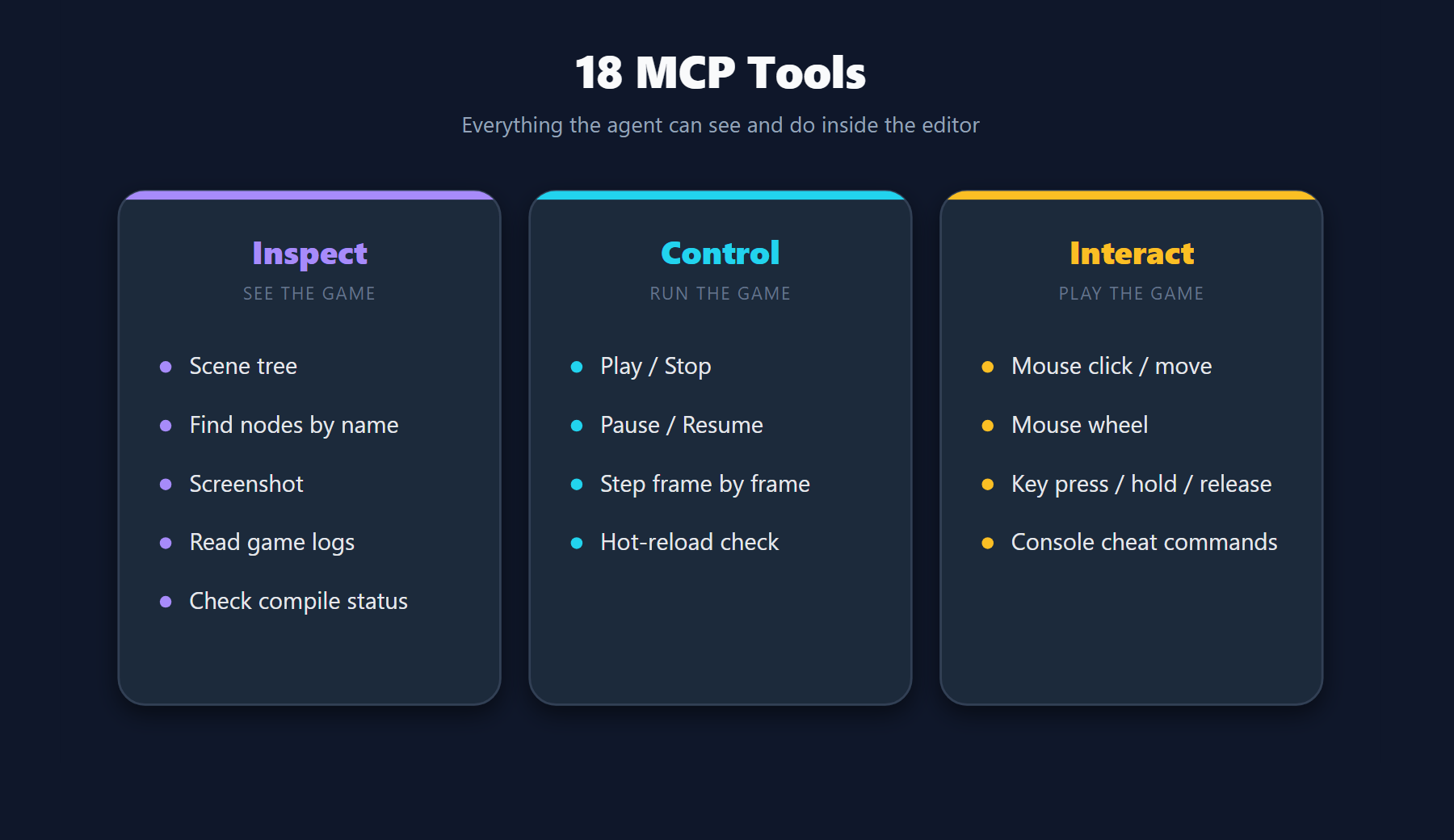
The MCP server exposes 18 tools organized into four categories:
Inspect
The agent can read the full scene hierarchy — every node with its name, position, rotation, scale, and UI layout properties. It can search for nodes by name or path. And it can take a screenshot of the running game at any moment to verify that things look right.
Control
The agent starts and stops the game, pauses it, and steps through it frame by frame. After every code change, the editor hot-reloads automatically. The agent checks the compilation status to catch errors immediately.
Interact
The agent simulates mouse clicks, movement, and scrolling at pixel coordinates. It presses and holds keyboard keys with modifier support. It discovers all console commands exposed by the game and executes them.
When an AI agent is connected, the game keeps running even when the editor goes to the background — so the agent can complete its full inspect-modify-verify loop without interruption. Keep in mind that if you're playing the game at the same time as the agent is working, you may get unexpected results as both of you are interacting with the same scene.
The Vibecoding Workflow
Here's what a typical session looks like — from empty project to playable game:
- Create a project in the EdenSpark launcher. All agent configurations are generated automatically for your AI tool of choice.
- Open your AI coding tool in the project directory. It connects to the running editor through MCP — no extra setup.
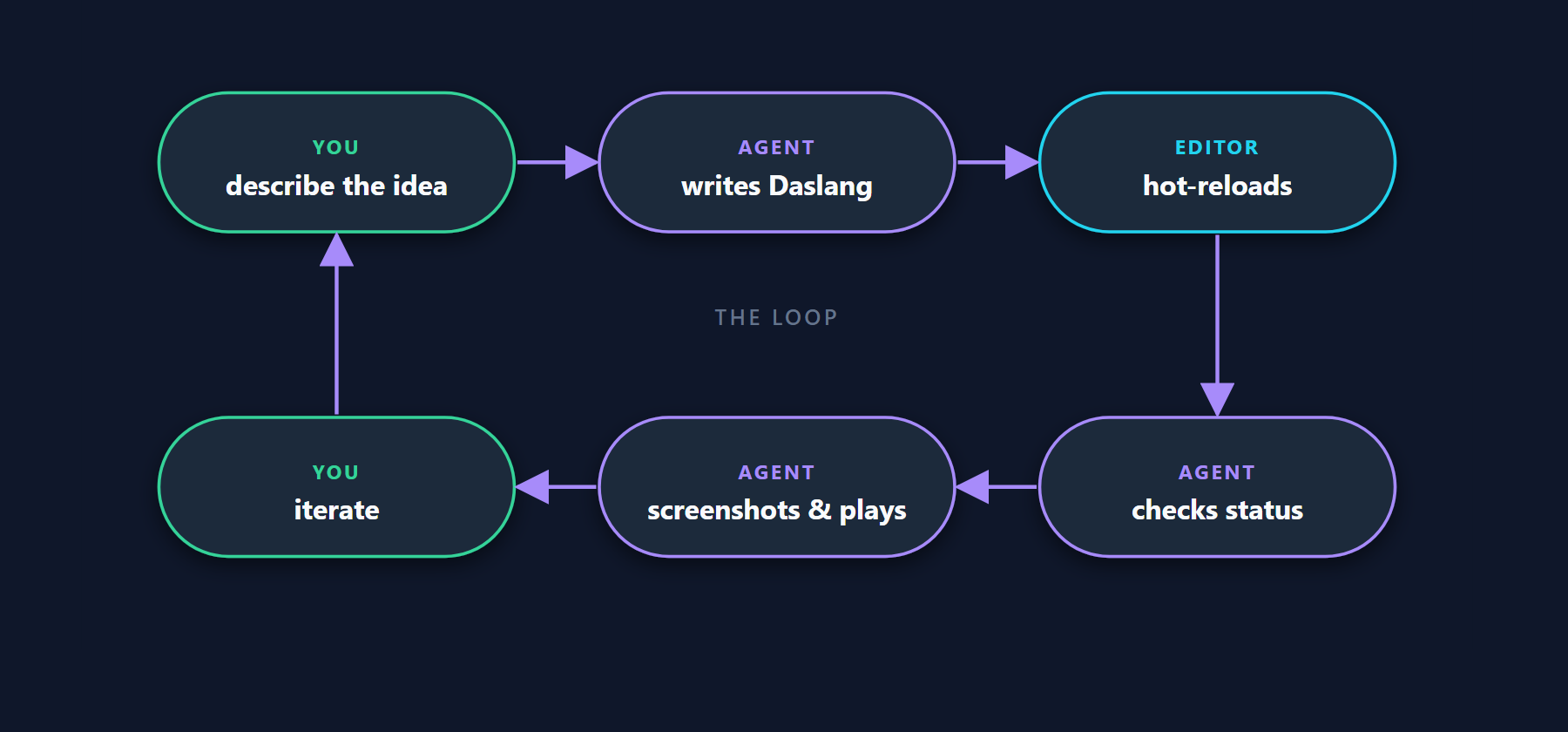
- Describe your game. The agent researches the concept, asks clarifying questions, and drafts a design document before writing a single line of code.
- The agent writes Daslang code, saves the file, and the editor hot-reloads it. The agent immediately checks whether compilation succeeded. If there are errors, it reads them and fixes the code.
- The agent takes a screenshot to verify the result visually. Does the scene look right? Are the objects where they should be?
- The agent playtests by simulating mouse and keyboard input. It clicks buttons, moves characters, and checks that the game loop works.
- You iterate. Say "make the paddle wider" or "add a score counter" — the agent modifies the code, verifies, and repeats.
Supported Tools
EdenSpark generates the right configuration for each tool automatically when you create a new project:
- Claude Code — full integration with MCP tools, Daslang reference, and a specialized Game Designer agent that produces design documents before any code is written
- Cursor — Daslang language reference and MCP connection
- GitHub Copilot — Daslang language reference and MCP connection
- Any MCP-compatible tool — the editor speaks an open protocol; new tools connect without any changes on our side
Getting Started
Follow the Getting Started guide to set up EdenSpark and start vibecoding.
What's Next
This is just the beginning. We're working on more specialized agents, deeper tool integrations, and new ways to go from idea to playable game faster. If you build something — we'd love to see it.
Join the EdenSpark community and share what you create.
EdenSpark unveils monthly game jams with $250,000 total prize pool
We are announcing a new series of monthly game jams for EdenSpark — our open development platform — with a total prize pool of $250,000 across the full annual program.
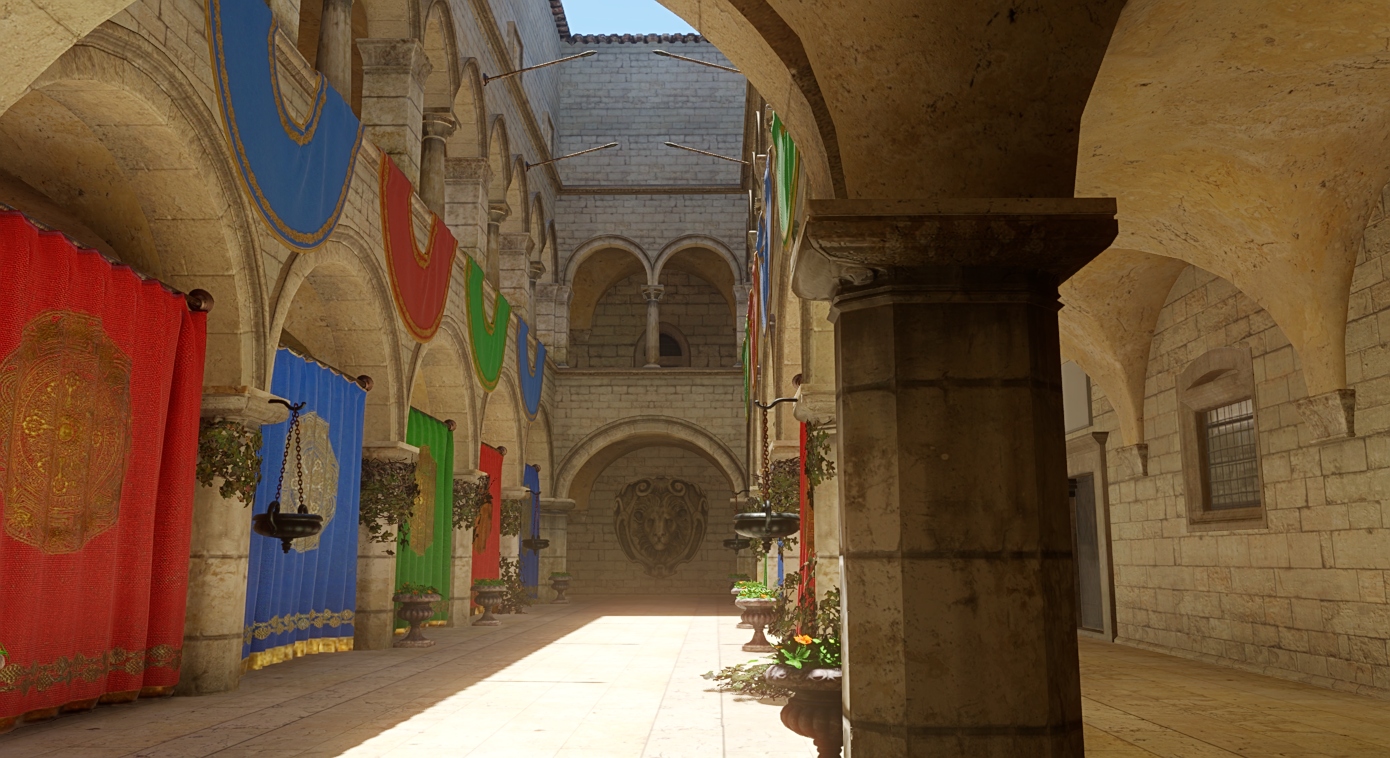
Devblog. Part 3 — Making GI responsive to scene changes
Integration of global illumination from the Dagor Engine: challenges and opportunities.