EdenSpark Update 1.0
Multiplayer — play together over the network
EdenSpark games can now be played together. A game runs as a server with clients joining it, and the state of the world travels between them on its own: you write the game once, mark what the players share, and the engine keeps every player's copy in step.
Lobby and network services are built-in and could be integrated into the game using Eden's networking API. A player opens the lobby from inside the game, signs in, creates a room and invites friends; whoever created it hosts the match in their own process. Joining an invite starts the game already connected.
Marking what the players share is one annotation. A component written for a single-player game keeps working: add [replicated], and the server's copy of it shows up on every client, together with the node it lives on - its position, parent, name, mesh and collision.
[replicated]
class Health : Component {
    hp : float = 100.0

    def override on_update {
        if (hasRemoteAuthority) {   // someone else's copy: show it, decide nothing
            updateHealthBarUI()
            return
        }
        hp = min(hp + 5.0 * get_delta_time(), 100.0)
    }
}
The engine does the part that is hard to get right. A moving object is shown a moment behind the server and interpolates between the updates it receives, so motion stays smooth on a real connection instead of stepping at the rate the packets arrive. A physics object is carried by its own physics towards where the server says it is, so it collides with the world on the way rather than sliding through it. The game says who is allowed to see each object and who drives it, and the engine sends nothing to a player who should not know.
For a player's own character, where any delay is felt directly, a game can run the local simulation immediately and let the server confirm it afterwards, correcting only where the two disagreed.
Two projects to start from: samples/new/net_cubes shows the whole setup at its smallest, and samples/new/net_ships is a playable arena where several players push each other around under real latency.
Multiplayer is new and under active development - expect it to grow over the coming updates.
Offscreen emission in GI
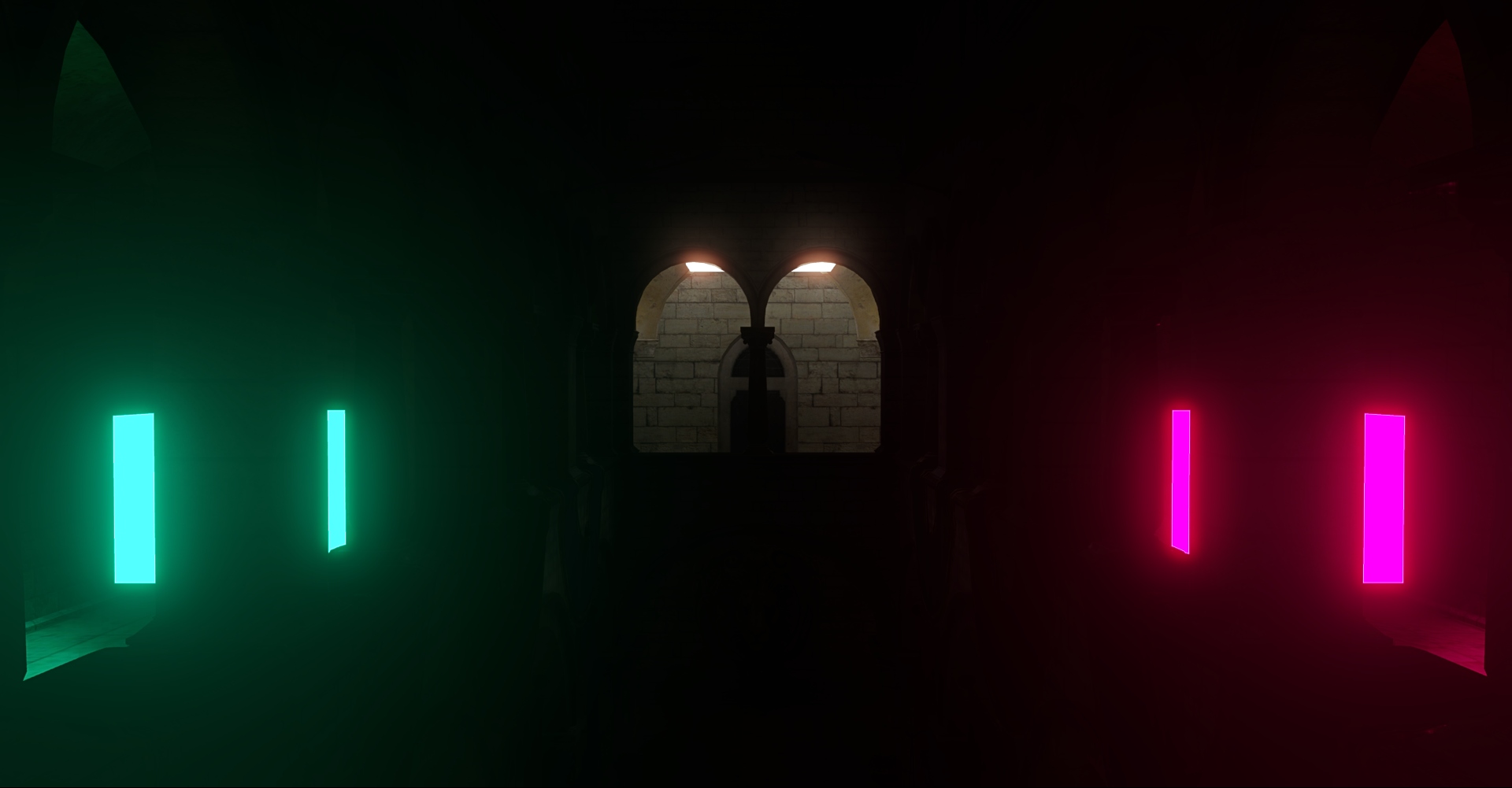
Emission is now visible to offscreen GI computation, meaning emissive surfaces can light your scene, even when you're not looking at them. This also greatly boosts emission's contribution to GI, letting such objects work as area lights.
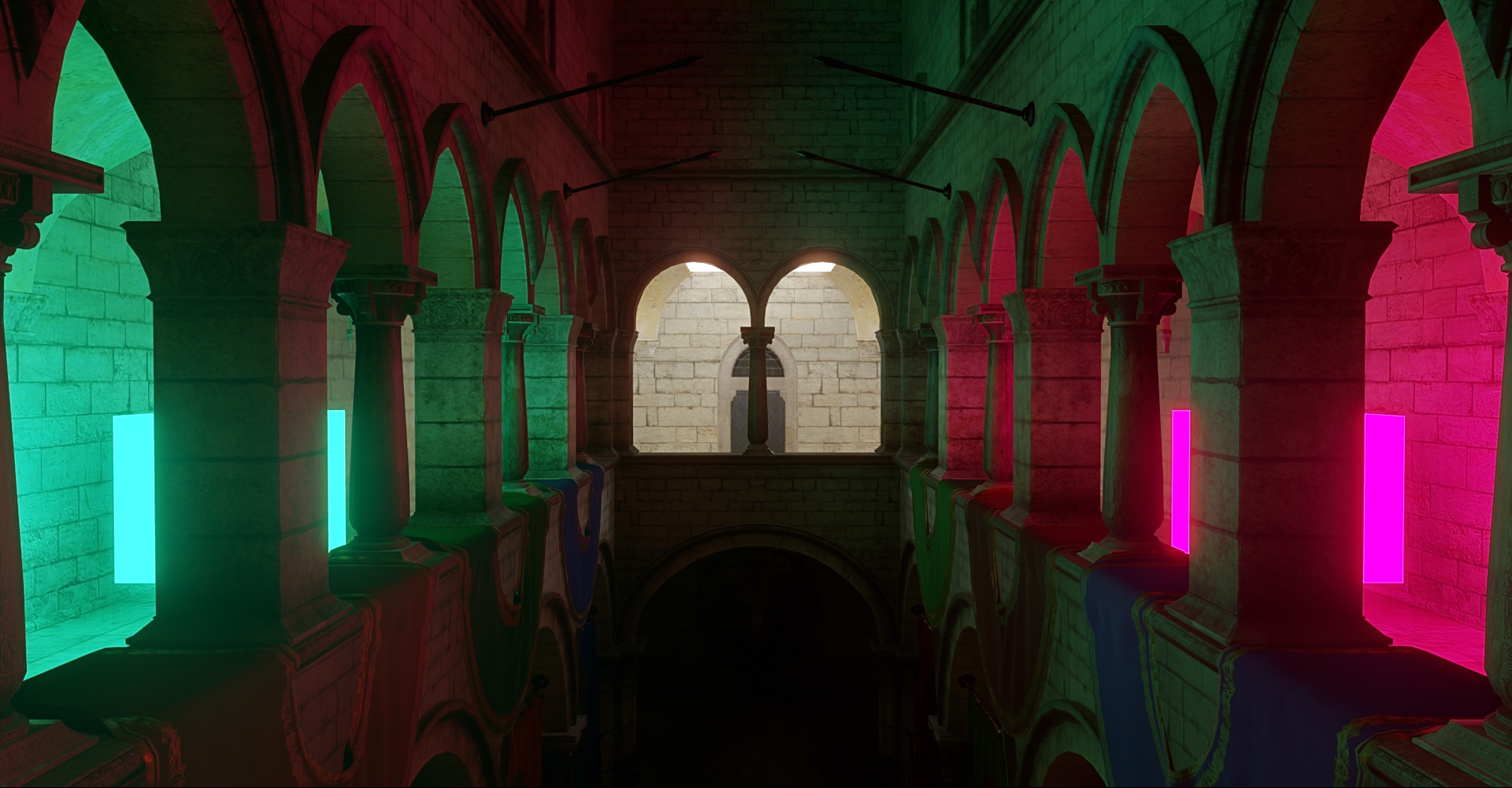
Static lights
Now lights, just like meshes, have an isStatic property, which is off by default. Currently, its only effect is to exclude non-static lights from contributing to offscreen GI in the HD Renderer. Before that, all lights were visible to GI, and moving them caused its constant refresh with visible "boiling" noise. Even though we've greatly sped up and smoothed out lighting updates in GI, this was aimed at situational scene changes during gameplay or while creating your game scene. With the addition of offscreen emission, which is based on primary lighting caching, GI now has an additional lag when moving lights. So we've decided to separate out dynamic lights, which don't add extra cost or noise when moved. Note that they're still visible to screen-space GI traces. We've also renamed the meshStatic node checkbox in the editor to nodeStatic, along with a couple of related functions, because the state now takes lights into account.
UI canvases in a camera viewport and in world space
A UI canvas is no longer stuck on the whole screen. It can now live inside the viewport of one camera - the HUD of a single player in a split screen, or the interface of a picture-in-picture view - or hang in the 3D scene as a surface you can look at from any angle and click.
A canvas in the scene is rendered by, and clickable through, the cameras you pick for it, the same way meshes choose their cameras.
Editor Input, Diagnostics, and Reliability
The editor brings input configuration, diagnostics, and project feedback together in a clearer workflow. The user menu exposes the controls and error details needed during development.
Input Actions: Analog, Pointer, and Mouse Movement Support
Input actions now behave consistently across buttons, triggers, axes, joysticks, and pointer input. The same pressed and just-pressed queries can be used for digital and analog controls, making action-based input easier to share between different control schemes. Button actions can also choose whether extra keyboard modifiers are accepted.
Scene Tree Selection and Search
Scene-tree selection now follows standard multi-selection behavior. This makes selection-based editing more predictable when several nodes are selected.
📐 API Changes
miscellaneous.md
- The fontScaling property was removed from UIText and Text3D components because it is irrelevant for the vector-based font rendering that we now use.
Static lights
- set_mesh_static_recursive and get_mesh_static_status were renamed to set_node_static_recursive and get_node_static_status respectively. The old functions remain as deprecated aliases for compatibility with existing code.
✨ Added
- A canvas can be attached to a camera and follows that camera's viewport: it is laid out, drawn and clicked inside it. Without a camera it covers the whole screen as before.
- A canvas can be placed in world space and shown only in the cameras you select.
- The resolution a canvas scales against can now be set explicitly instead of being taken from whatever size the canvas happened to have on the first frame.
- Center of mass and inertia tensor are no longer reset automatically when shape is changed
- CharacterController now can be provided with mass
- RigidBody.inertia and RigidBody.inertiaRotation properties are now writable
- Play over the network - one process runs the game as the server, others join it as clients; a hosted match runs inside a player's own game, with no separate server to deploy
- Lobby and invites - open the lobby from the game, sign in, create or join a room and invite friends; joining an invite launches the game straight into the match
- `[replicated]` components - mark a component and the server's copy appears on every client, with the node's transform, parent, name and its engine components following along
- Smooth motion on a real connection - remote objects are shown slightly behind the server and interpolated between updates; remote physics bodies are carried by physics so they still collide
- Prediction for the player's own character - simulate locally right away and reconcile against the server's answer, so controls stay responsive under latency
- Visibility and ownership - the game decides per player which objects are sent at all, and which player drives which object
- Messages between peers - send an message to the other side and handle it where it arrives, with the delivery guarantee each kind of message needs
- Two sample projects - net_cubes for the minimal setup and net_ships for a playable multiplayer arena
- Support for offscreen emission in global illumination.
- isStatic property to the PointLight and SpotLight components. It is hidden in the editor and controlled through the node's nodeStatic checkbox.
- Configure mouse-movement axes, sensitivity, and inversion from the input settings in the user menu.
- Copy the full compilation and runtime error list from the user menu with Ctrl+C or the error panel context menu.
- is_action_pressed, is_action_just_pressed, and is_action_just_released now support button, trigger, axis, joystick, and Delta pointer actions.
- An optional ModifierMatchMode argument is available on is_action_pressed, is_action_just_pressed, is_action_just_released and is_action_state_active. Existing one-argument calls remain valid; ModifierMatchMode.Strong requires the configured modifiers exactly (default value), while ModifierMatchMode.Weak allows additional modifiers to be held.
- Mouse movement can be added as a horizontal or vertical action axis, with configurable sensitivity and inversion.
- Pointer actions support separate X and Y inversion settings (in Delta mode only).
- Multi-select scene nodes using the editor's standard selection interactions, including range selection.
🔧Improved
- Warning text uses a more readable amber color on dark editor backgrounds.
- The input tab in the user menu now shows clear centered states while the game is stopped, while the input system is initializing, or when no action sets are defined.
- Advanced input settings and log buffering are hidden or disabled for standalone projects that are not running in developer mode.
- Actions that were already pressed before their action set was activated no longer report a pressed state. They become valid again only after returning to their neutral state and being pressed anew.
- is_action_state_active reports activity on the release frame, while is_action_pressed reports only the current non-zero value. For button actions, both queries honor strong or weak modifier matching.
- Pasting nodes as children or siblings now uses the last selected node as the target instead of the first node in the selection.
🐛 Fixed
- In external editor settings, {file} and {editor} placeholders are substituted with quoted paths, so manual quotation is no longer needed
- Fixed various bugs around the autoResizeFrame flag in UIText and Text3D components: it no longer depends on fontScaling, it now takes margin into account, and there is no longer a feedback loop that irreversibly shrank the frame when the font size changed.
- Fixed the margin property of UIText and Text3D components: it indents the text by the exact number of units you set, all 4 values shift the text inwards, and they now respect text alignment.
- Fixed wrong positioning of UIImage in the multi-camera case with the ScreenSpaceOverlay canvas rendering mode.
- Clicks on a rotated or tilted canvas in the scene now land where the canvas is drawn.
- In a split screen, a canvas is no longer clicked through a camera that does not show it, and a canvas that belongs to a camera ignores the mouse outside that camera's part of the screen.
- Console log compaction no longer corrupts stack positions or crashes when skipped entries are copied or displayed.